
Total Setup Time: 15-30 minutes
Most users complete setup in under 20 minutes. Card verification may take an additional 24-48 hours, so start at least 3 days before your trip.
Why Alipay is Essential for China Travel
Alipay (支付宝) is China's most widely accepted mobile payment platform. With over 1.3 billion users, it's the backbone of daily commerce across the country — from high-end malls to street food vendors.
95% Acceptance
Accepted at virtually every merchant in China
Full English UI
Complete English language support for international users
Tour Pass
Dedicated feature designed specifically for tourists
What You'll Need
Before You Start, Gather:
iOS 12+ or Android 8+
Must match your travel documents exactly
Visa, Mastercard, JCB, or Discover
For SMS verification (international numbers work)
Card Compatibility Note
Not all cards work with Alipay. Check with your bank before traveling:
✅ Usually Works:
- • Visa debit/credit cards
- • Mastercard debit/credit cards
- • JCB cards
- • Discover cards
❌ Often Rejected:
- • American Express (AMEX)
- • Some prepaid cards
- • Virtual card numbers
- • Some regional bank cards
Step-by-Step Setup Guide
Download Alipay
Download the official Alipay app from your device's app store. Make sure you're downloading the genuine app — look for "Alipay" by "Alipay (Hangzhou) Technology Co., Ltd."
Visual Guide:

Set Language to English
When you first open Alipay, it may default to Chinese. Change the language immediately:
- 1.Open Alipay and tap "Me" (bottom right corner)
- 2.Tap the gear icon ⚙️ (top right) to open Settings
- 3.Tap "General" (通用设置)
- 4.Tap "Language" (多语言)
- 5.Select "English" and confirm
Register Your Account
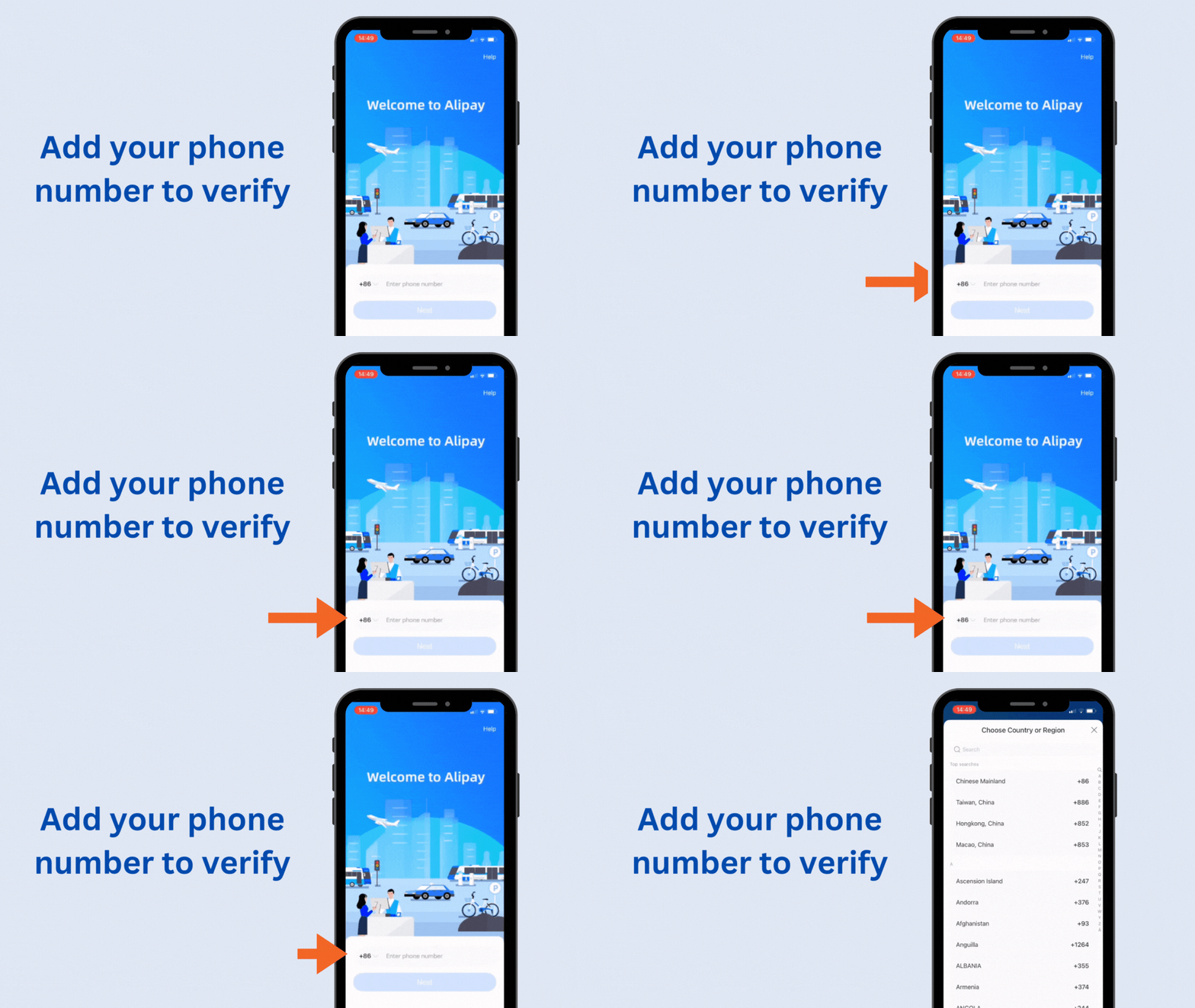
Create your Alipay account using your international phone number:
- 1.Tap "Sign Up" on the welcome screen
- 2.Select your country code (e.g., +1 for USA, +44 for UK)
- 3.Enter your phone number
- 4.Tap "Get Verification Code"
- 5.Enter the 6-digit code sent via SMS
- 6.Create a strong password (8+ characters, mix of letters and numbers)
SMS not arriving? Wait 60 seconds and try again. If it still fails, try using a different phone number or contact Alipay support.
Access Tour Pass
The Tour Pass is Alipay's special feature for international visitors. It lets you use Alipay without a Chinese bank account.
- 1.From the home screen, tap the search bar at the top
- 2.Type "Tour Pass" and search
- 3.Tap on the Tour Pass mini-program
- 4.Tap "Get Started" to begin setup
Alternative: You may also see "Tour Pass" promoted on the home screen if Alipay detects you're an international user.
Verify Your Identity
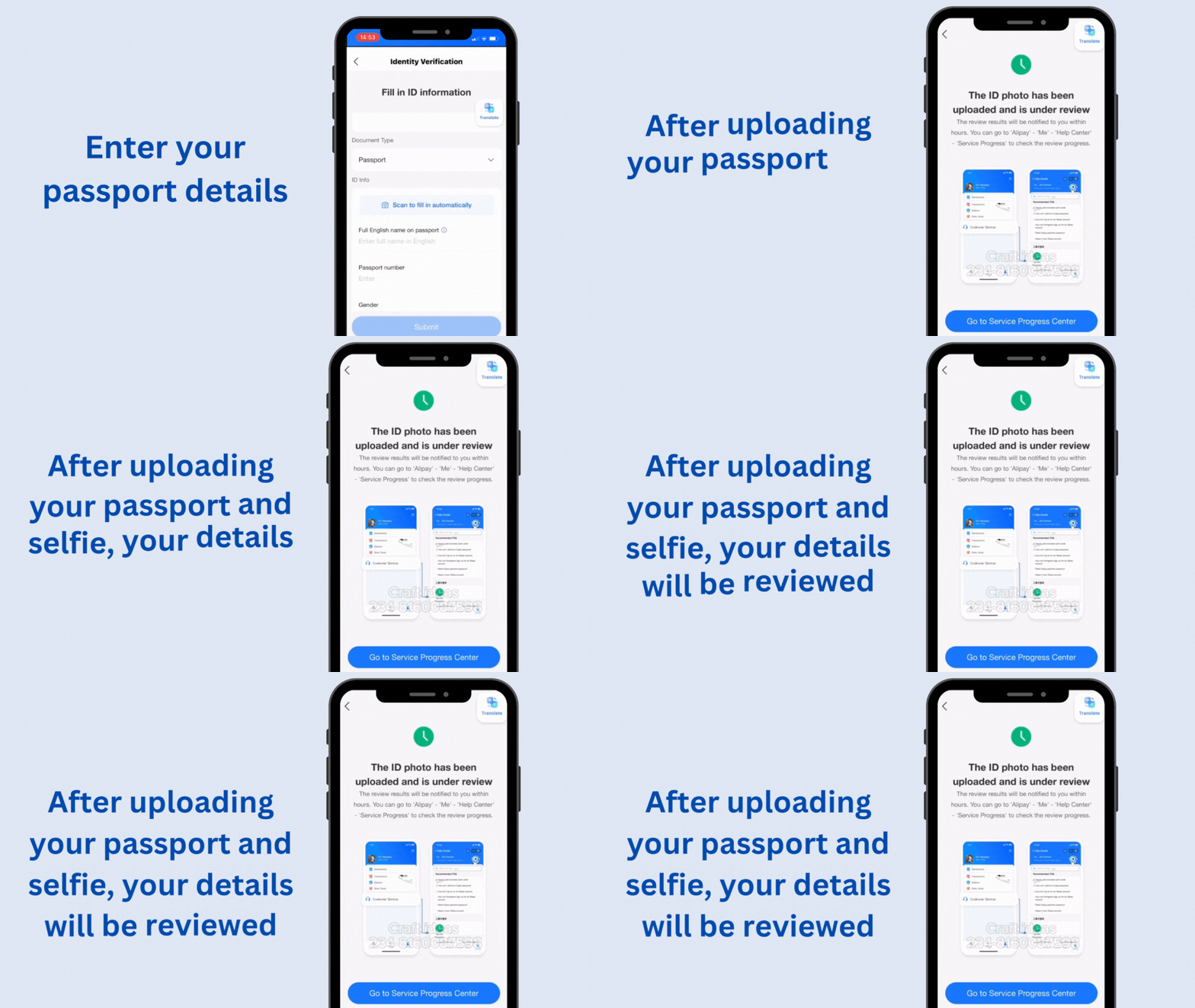
You'll need to verify your identity using your passport. This is required by Chinese regulations.
- 1.Select "Passport" as your ID type
- 2.Enter your full name exactly as it appears on your passport
- 3.Enter your passport number
- 4.Select your nationality
- 5.Take a photo of your passport information page
- 6.Complete facial verification (look at camera and follow prompts)
Photo Tips:
- • Ensure good lighting — avoid shadows on passport
- • Hold passport flat and fill the frame
- • Make sure all text is clearly readable
- • Remove passport cover if present
Visual Guide - Identity Verification:
Step 1: Upload Documents
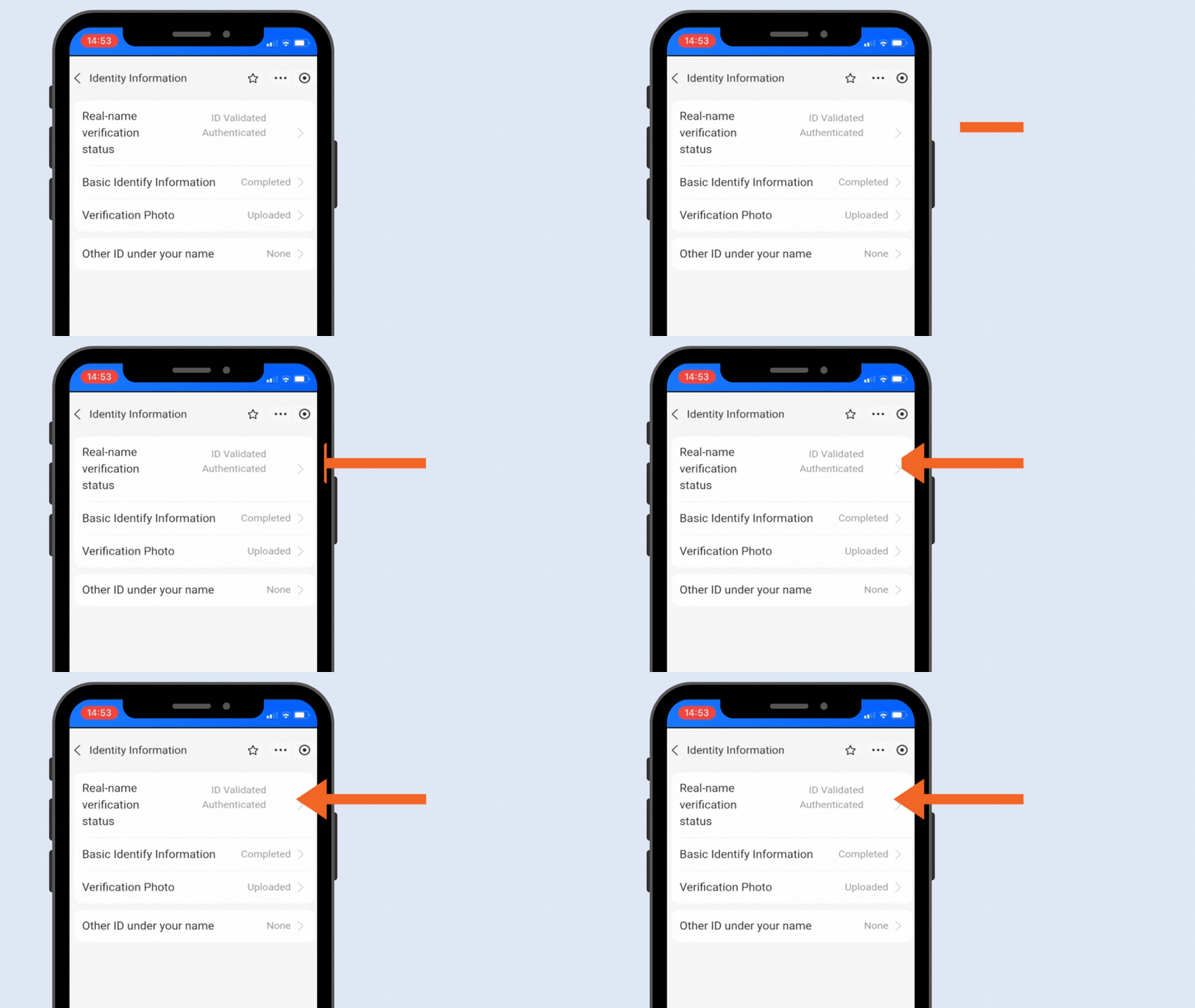
Step 2: Await Verification
Add Your Bank Card
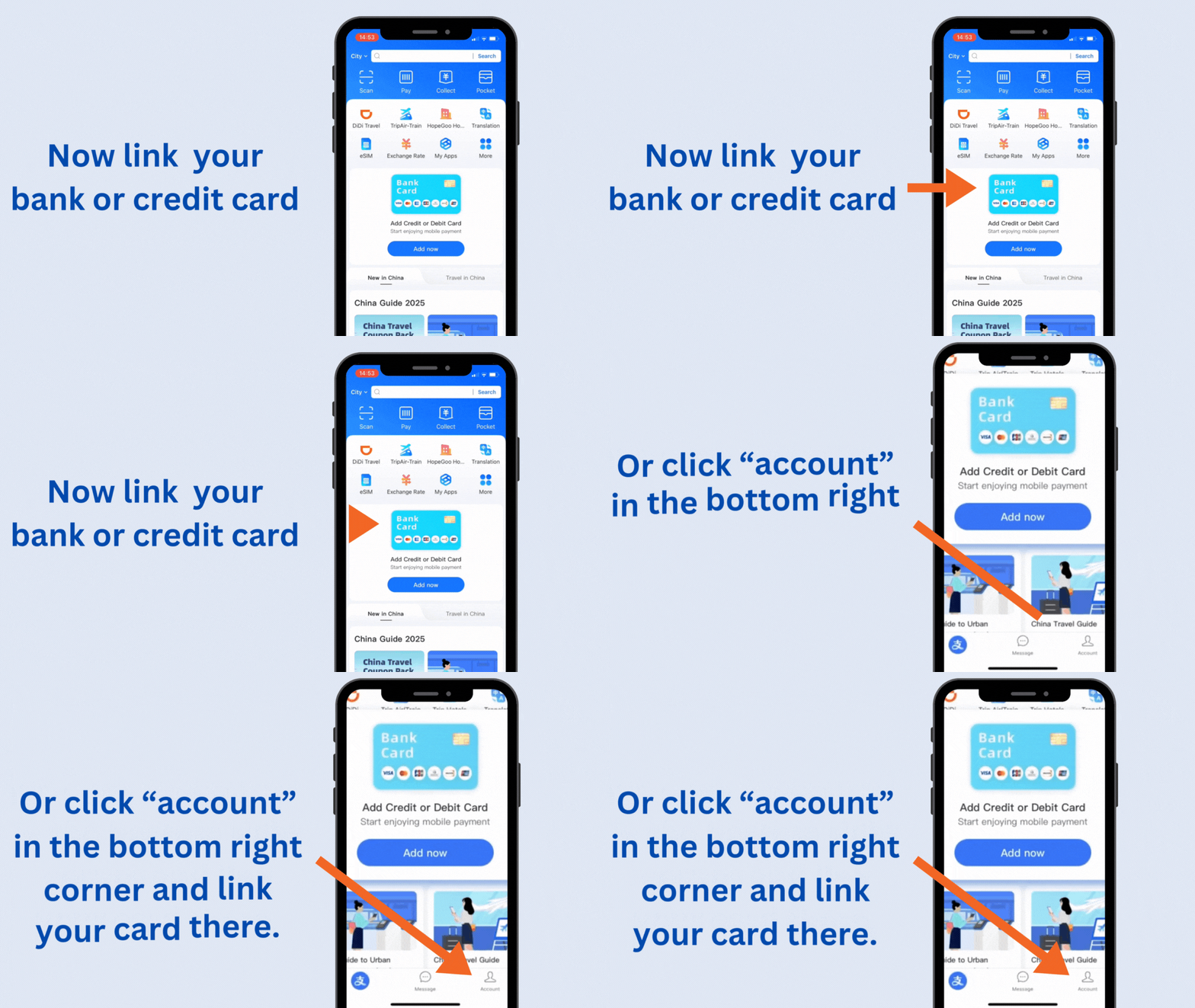
Link your international Visa, Mastercard, JCB, or Discover card to fund your Tour Pass.
- 1.In Tour Pass, tap "Add Card"
- 2.Select your card network (Visa, Mastercard, etc.)
- 3.Enter your card number
- 4.Enter expiration date and CVV
- 5.Enter your billing address
- 6.Agree to terms and tap "Confirm"
Bank Notification: You may receive a fraud alert from your bank. This is normal — approve the transaction to continue. Consider notifying your bank of your China travel plans beforehand.
Visual Guide:
Load Your Tour Pass
Add funds to your Tour Pass balance. This is what you'll spend when making payments in China.
- 1.Tap "Top Up" or "Add Money"
- 2.Enter the amount in CNY (Chinese Yuan)
- 3.Confirm the transaction
- 4.Complete any additional bank verification (3D Secure, etc.)
Tour Pass Details
How Much Should You Load?
We recommend starting with ¥500-1,000 (~$70-140 USD) for a typical week in China. This covers meals, transportation, and small purchases.
Short trip (3-5 days)
¥500-800
Week-long trip
¥1,000-1,500
Extended stay
¥2,000 (max)
Making Your First Payment
Once your Tour Pass is loaded, you're ready to pay! There are two ways to pay with Alipay:
Scan to Pay
You scan the merchant's QR code
- 1. Open Alipay
- 2. Tap "Scan" (top of screen)
- 3. Point camera at merchant's QR code
- 4. Enter amount if prompted
- 5. Confirm payment
Show to Pay
Merchant scans your QR code
- 1. Open Alipay
- 2. Tap "Pay" (shows your QR code)
- 3. Show code to merchant
- 4. Merchant scans your code
- 5. Payment completes automatically
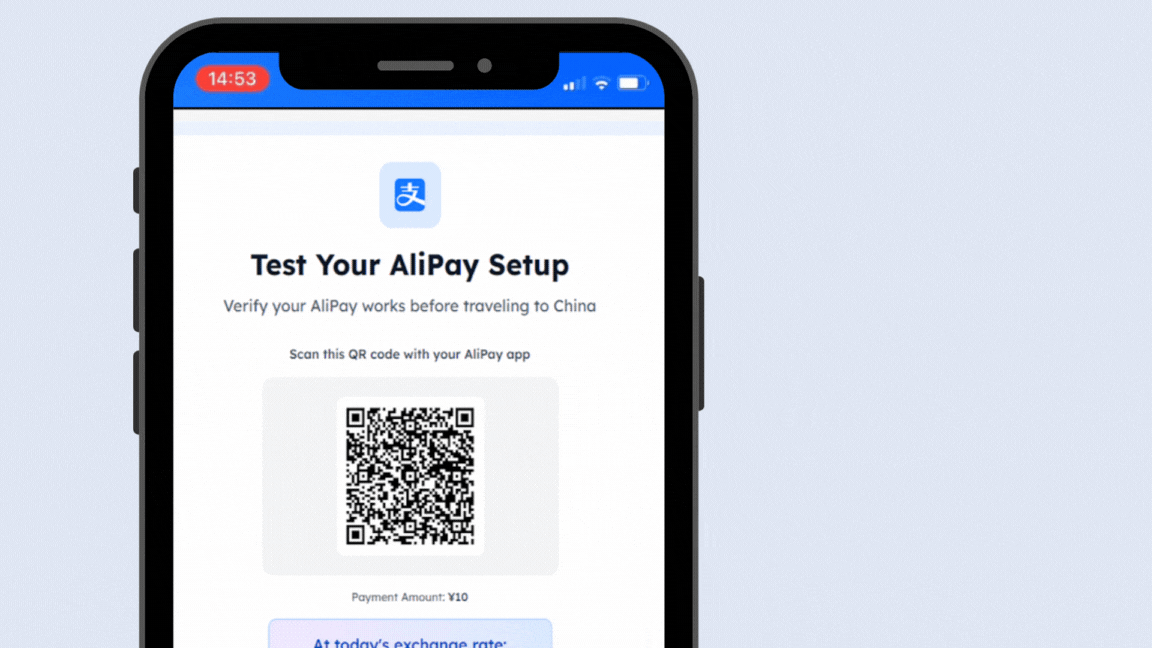
Test Before You Travel
Make a small test transaction at home to confirm everything works. Some suggestions:
- • Top up your Tour Pass with the minimum ¥100
- • Find a local Chinese restaurant that accepts Alipay
- • Use the in-app utilities (phone top-up, etc.)
Essential Security Settings
Protect your Alipay account with these recommended security settings:
Enable Payment Password
Set a 6-digit PIN for all payments
Settings → Payment Settings → Payment Password
Enable Biometrics
Use Face ID or fingerprint for faster, secure payments
Settings → Payment Settings → Biometric Payment
Set Transaction Limits
Limit max payment amount for added protection
Settings → Payment Settings → Payment Limits
Enable Login Notifications
Get alerts for account activity
Settings → Security → Login Notifications
Troubleshooting Common Issues
Solution:
- • Try a different card (Visa/Mastercard preferred)
- • Ensure card is enabled for international transactions
- • Contact your bank to authorize the transaction
- • Try a debit card instead of credit card
Solution:
- • Ensure passport photo is clear and well-lit
- • Name must match passport exactly (including middle name)
- • For facial scan, remove glasses and ensure good lighting
- • Try during daytime for better lighting conditions
Solution:
- • Wait 60 seconds and request a new code
- • Check spam/blocked messages folder
- • Ensure correct country code is selected
- • Try using a different phone number
Solution:
- • Check Tour Pass balance — may need to top up
- • Some merchants only accept domestic Alipay accounts
- • Try WeChat Pay as backup
- • Keep ¥200-500 cash as emergency backup
Pre-Travel Checklist
Complete Before Departure:
Final Tips
Keep Cash Backup
Always carry ¥200-500 in cash for emergencies. Some rural areas or older merchants may not accept mobile payments.
Stable Internet Required
Alipay requires internet to work. Get a reliableChina eSIMbefore you travel.
Top Up Regularly
Monitor your Tour Pass balance and top up before it runs low. Top-ups can take a few minutes to process.
Secure Your Phone
Your phone is your wallet in China. Enable screen lock and don't share your payment passwords.
🎉 Congratulations! Once you've completed all these steps, you're ready to pay like a local in China. Enjoy the convenience of cashless travel!
Need More Help?
Check out our other guides for a complete China travel preparation.